
AntiVirus Clean Master-Cleaner
Blooming TechnoTools
3.6240.00 Reviews
- Version
- 1.8.0.0
- Installs
- 5.00M
- Age Rating
- Everyone
Screenshots

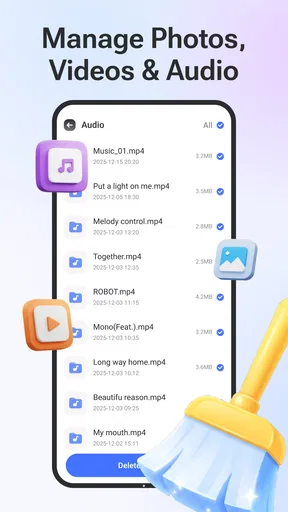
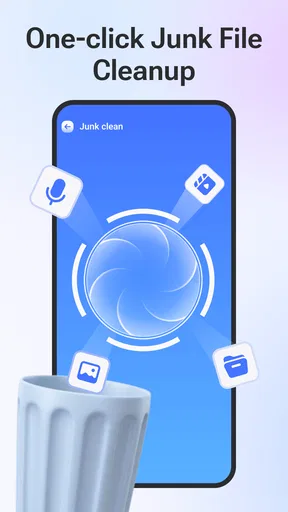
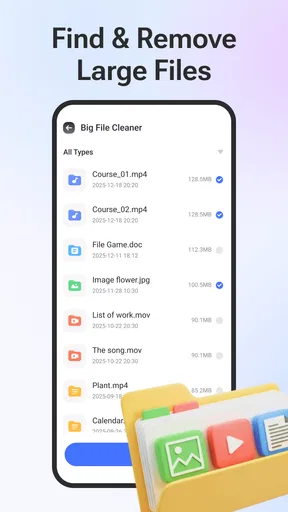
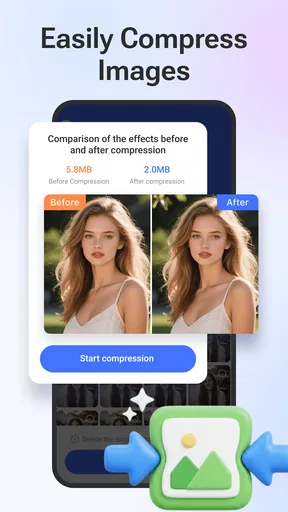
Our Review of AntiVirus Clean Master-Cleaner
 Analysis by Appyee
When my phone starts feeling crowded, I usually do not want a complicated maintenance suite. I want to see what is taking up space, remove obvious clutter without losing something important, and run a security check from one place. That is the situation where I tested AntiVirus Clean Master-Cleaner, a free tools app from Blooming Techno that combines junk cleaning, file management, and virus scanning.
The app is aimed at everyday Android users rather than people who want a highly technical security dashboard. Its store summary is simple, but the practical question is whether those three jobs work well together. In my experience, the answer is mixed in a useful way: the combined workflow is convenient, especially when storage and security concerns arrive at the same time, but convenience also means I have to slow down before approving cleanup suggestions.
It is available for Everyone and supports Android 9 or later. That makes it relevant to a broad range of phones, including older devices that may not receive the newest system tools. It is free to use, and its current version is 1.3.2.0. The app has reached over a million installs and holds an average rating of 3.9, so it has clearly attracted a substantial audience while still leaving room for a balanced assessment.
From a crowded phone to a cleaner, more understandable device
I find that the most useful way to think about a shared phone is not “who can clean it?” but “who can safely decide what belongs here?” In this section, I look at how a household can use one maintenance session to make storage easier to understand without treating everyone’s files as disposable clutter. That distinction matters even more when several people rely on the same device.
The starting condition matters more than the scan button
I would not install this app simply because every phone needs a cleaner. Android already includes storage controls, and many manufacturers add their own device-care utilities. The stronger reason to try it is a specific problem: storage is filling up, files are scattered across folders, or I want a second, easy-to-follow security check without moving between several tools.
A realistic example is a phone used for messaging, photos, downloads, and occasional work documents. After a busy month, the Downloads folder may contain duplicate images, old installation files, forwarded videos, and documents that were useful only once. At the same time, the owner may worry that an unfamiliar file or app has created a security problem. AntiVirus Clean Master-Cleaner gives that person a single starting point instead of requiring separate searches through the file manager, storage settings, and security controls.
My first recommendation is to inspect the phone before touching the cleanup action. I look at which categories appear large, then open the file-management area and check whether the suggested items are genuinely disposable. A cleaner is helpful when it exposes forgotten clutter; it becomes risky when the user treats every suggestion as unwanted by default. That distinction is especially important with downloads, media received in chats, and files that look duplicated but are actually needed in different contexts.
Step one: scan for material that can be reviewed
The natural first move is the junk scan. I treat its output as a review queue, not as an instruction to erase everything immediately. The useful handoff here is from the scan to my own judgement: the app identifies possible clutter, while I decide whether the phone can safely lose it.
This is where a practical habit makes a difference. I begin with items whose purpose is obvious, such as stale temporary material, and leave personal files for a slower inspection. If the app groups results by type or location, I use those groupings to ask a simple question: would I miss this file if it disappeared today? That question is more reliable than judging by the filename alone.
I also avoid running a cleanup immediately before I need a file for travel, work, or an appointment. A better workflow is to scan first, review the findings, and then clean when I have time to confirm the result. The app’s value is not just the deletion step; it is the visibility it gives me into what has accumulated.
Step two: hand the decision to file management
After the initial scan, the file-management function becomes more important than the cleaner itself. A phone can have plenty of free space while still being difficult to navigate. I use this stage to separate items that should remain, items that can be moved, and items that can be removed.
For example, if I find several old videos from a group conversation, I do not automatically treat them as junk. I first consider whether one copy is worth keeping and whether the rest are merely repeated forwards. The same applies to screenshots: some are temporary reminders, while others contain receipts, addresses, or information I may need later. A broad cleanup tool cannot understand that context as well as I can.
This is one of the app’s more useful everyday roles. It turns an abstract warning about “low storage” into a manual sorting task. That may sound less impressive than automatic deletion, but it is safer. I would rather spend a few minutes confirming files than recover from removing something irreplaceable.
Step three: use the virus scan as a separate checkpoint
The antivirus function changes the purpose of the workflow. Cleaning deals with space and organization; scanning deals with confidence about potentially unsafe software or files. I run the security check after I have reviewed the storage situation, because that keeps the two decisions distinct. A clean storage result does not automatically mean a phone is secure, and a security scan does not tell me which personal files are worth keeping.
When a scan produces a warning, I do not assume that the correct response is instant removal. I look at what was flagged and consider where it came from. An unfamiliar app installed recently deserves more attention than an old document I recognize. If the warning concerns something important, I would rather pause and investigate than let a single button decide the outcome.
This separation is a useful advanced habit for less technical users: use the cleaner to reduce clutter, the file manager to make decisions about personal content, and the antivirus tool to investigate security concerns. Combining the tools in one app is convenient, but the decisions should remain separate in my head.
The handoffs are where the app earns its place
The most convincing part of the experience is the movement between tasks. I can begin with a storage complaint, inspect the files behind it, and then perform a security check without opening unrelated utilities. That reduces the friction of remembering where Android stores each control.
Still, the handoffs require attention. A scan result is not the same as a confirmed problem. A large file is not the same as junk. A virus warning is not a substitute for understanding which app or file caused it. AntiVirus Clean Master-Cleaner works best when it helps me move from one question to the next, rather than when I expect it to answer every question automatically.
I also find it useful to make a small before-and-after note when storage pressure is serious. I check the phone’s available space, perform only the cleanup I understand, and then check again. That gives me a clearer sense of whether the selected items mattered. If the result is disappointing, I know the problem may be large media or applications rather than temporary clutter, and I can focus my attention there instead of repeating the same scan.
What the result feels like in daily use
The outcome I want is not a dramatic promise of a faster phone. It is a phone that is easier to understand and less stressful to maintain. After reviewing clutter and checking security, I should know what was removed, what remains, and whether the original problem was actually storage, organization, or a possible threat.
For someone who downloads files frequently, the app can be a practical monthly checkpoint. I would open it after a period of heavy use, review the junk suggestions, inspect personal files, and finish with a security scan. That routine is more sensible than repeatedly pressing a cleaning button whenever the phone feels slow.
It can also help a family member who finds Android’s built-in storage pages confusing. The combined purpose is easier to explain: look for unnecessary material, manage files carefully, and scan for suspicious software. I would still show that person how to read the results before allowing any broad cleanup, because the danger is not the presence of a cleaner; it is using one without checking its selections.
The app’s free price lowers the barrier to trying this workflow. Its Everyone age rating also makes the presentation suitable for general household use. However, free does not mean every user will find it necessary. Someone who already understands Android’s storage settings, keeps files organized, and uses a trusted security solution may gain little from adding another maintenance layer.
Where the workflow breaks down
The first weakness is the unavoidable ambiguity of junk cleaning. No app can reliably know the personal value of every photo, download, document, or duplicate-looking file. If the interface encourages quick approval, the convenience can work against careful file ownership. I would skip automatic-looking decisions whenever the results include personal media or work material.
The second limitation is that a combined tool may encourage false confidence. A successful cleanup does not prove that the phone is fast, and a completed virus scan does not make cautious downloading unnecessary. I would not use this app as a replacement for keeping Android updated, checking app sources, or removing applications I no longer trust.
The third issue is duplication with existing phone features. Many Android devices already provide storage analysis and basic security checks. On those phones, AntiVirus Clean Master-Cleaner has to justify itself through a clearer workflow, not through the mere existence of these functions. If the built-in tools already show me exactly where space is going, a separate cleaner may add another screen without adding much insight.
There is also a trade-off for advanced users. A specialist file manager may offer more precise folder control, while a dedicated security product may provide deeper explanations and more focused protection. I would prefer those alternatives when I need detailed technical evidence, granular automation, or a security-first experience. This app is better suited to a straightforward maintenance pass than to forensic investigation.
Who should use it, and who should skip it
I would recommend trying it if your phone’s storage is becoming confusing, your downloads are disorganized, and you want cleaning and virus scanning in one approachable tools app. It is particularly useful for people who do not want to learn several separate Android menus and are willing to review results before confirming changes.
I would be more cautious about recommending it to someone who stores valuable work files locally, shares a device with other people, or expects a cleaner to make every performance problem disappear. Those users should treat file review as the main task and the automatic suggestions as a starting point. Anyone who already has a carefully managed storage routine may be better served by the system tools they already know.
For me, the best use case is a controlled maintenance session: scan, inspect, remove only clear clutter, organize what remains, and then run the security check. That sequence avoids mixing up storage problems with security problems and gives each result a sensible response. It also makes it easier to stop when the app’s suggestions become uncertain.
My final view after following the full workflow
AntiVirus Clean Master-Cleaner is a practical, free Android tools app from Blooming Techno that brings three related chores into one place. Its strongest quality is not that it eliminates every maintenance problem; it is that it gives less experienced users a visible path from a crowded phone to a more manageable one.
The rating of 3.9 from around four thousand ratings reflects the kind of middle-ground experience I would expect: useful for some phones and routines, unnecessary or limited for others. I see it as a helper rather than an authority. It can point me toward clutter, help me navigate files, and provide a security checkpoint, but I remain responsible for deciding what is safe to delete and what deserves investigation.
My practical recommendation is to use it as a review-and-confirm tool, never as a blind delete button. If you want a simple workflow for checking storage and scanning for threats, it is worth trying on a compatible Android device. If you need deep file controls or specialized security analysis, the usual dedicated alternatives will likely suit you better. For everyday cleanup with a cautious handoff between scanning, organizing, and checking, AntiVirus Clean Master-Cleaner is a reasonable option.
Privacy and Permissions
See what permissions an app requests and how it handles your data.
- Photos/Media/Files
- read the contents of your USB storage, modify or delete the contents of your USB storage
- Storage
- read the contents of your USB storage, modify or delete the contents of your USB storage
- Wi-Fi connection information
- view Wi-Fi connections
- Other
- view network connections, connect and disconnect from Wi-Fi, full network access, run at startup, prevent device from sleeping, Google Play license check
Verdict
Strengths of AntiVirus Clean Master-Cleaner
- Combines antivirus scanning with junk-file and cache cleanup tools.
- Quick scans are easy to start and require little technical knowledge.
- Can help identify suspicious apps and potentially unwanted files.
- Includes privacy-focused checks for app permissions and sensitive data.
- Useful all-in-one toolkit for users who prefer fewer maintenance apps.
Limitations of AntiVirus Clean Master-Cleaner
- Frequent ads and upgrade prompts may interrupt the cleaning experience.
- Some features may be locked behind a paid subscription or premium plan.
- Cleaning suggestions can include files users may want to keep.
- Background protection may consume extra battery and system resources.
- Results can vary, and third-party antivirus claims may need cautious interpretation.
Similar Picks in This Category
View All
Google LLC4.0

Gboard - the Google Keyboard
Google LLC4.5

Google Play services
Google LLC4.3

Google Play Store
Google LLC4.9

Files by Google
Google LLC4.5

SHAREit: Transfer, Share Files
Smart Media4U Technology Pte.Ltd.4.3
Frequently Asked Questions
What is AntiVirus Clean Master-Cleaner used for?
AntiVirus Clean Master-Cleaner is designed to help maintain an Android device by combining security and cleaning tools in one app. Depending on the version, it may scan installed applications and files for potential threats, remove unnecessary cache and junk files, manage storage, and provide basic device-optimization features. It should be viewed as a maintenance utility rather than a complete replacement for safe browsing habits or built-in security protections.
Does AntiVirus Clean Master-Cleaner really improve phone performance?
The app may help free storage space by identifying cached data, temporary files, leftover installation files, and other items that are no longer needed. This can be useful when a phone is nearly full, although the performance improvement will vary by device and Android version. Cleaning memory repeatedly does not always make a phone faster, and closing background apps can sometimes increase battery usage when they reopen.
Is AntiVirus Clean Master-Cleaner safe to use?
The application can be useful when downloaded from a legitimate app store and reviewed carefully before granting permissions. However, users should check the developer name, privacy policy, update history, ratings, and requested access. Avoid activating features that require unnecessary permissions, and do not trust alarming warnings automatically. A security app should complement Android’s built-in protections, regular system updates, and cautious downloading habits.
What permissions and personal data might the app request?
A cleaning and antivirus application may request access to installed apps, storage information, notifications, and device activity so it can scan files or identify removable data. The exact permissions depend on the version and operating system. Before accepting, read the permission explanations and the app’s privacy policy. If a requested permission seems unrelated to cleaning or scanning, consider denying it or choosing another application.
Is AntiVirus Clean Master-Cleaner free, and does it contain advertisements?
Availability and pricing can vary according to the version, region, and platform listing. The app may offer free cleaning or scanning tools while displaying advertisements, limiting certain functions, or promoting a premium subscription. Check the download page for the current in-app purchase details before starting a trial. If you subscribe, review the cancellation terms through Google Play or the Apple account settings used for billing.
